We will send you a notification as soon as this product is available again.
Email is required.
Email is required.
We respect your privacy and do not share your email with anyone else.
We will send you a notification as soon as this product is available again.


xTool Near You: 600+ Service Hubs & Demo Rooms Across Europe
Experience the ultimate reassurance with xTool Squad’s comprehensive pre- and post-sale network. Visit our premier Demo Rooms to see the machine in action, get expert technical answers, and checkout with 100% confidence.
Real Costs. Real Profits. Real ROI
Find Your Perfect Printing Setup
What Real Users Are Saying

It's going to be a revolutionary tool for creatives that want to do more with their work. It has handled everything that I've thrown at it, and I've been able to work on new products faster than ever.

As a designer, the Omni O1 has released endless possibilities for creativity. The scanner system allowing me to accurately create on unique objects is a game changer for my art.

As a beta tester, I've had the opportunity to explore a wide variety of materials, and it's been exciting to see just how versatile and capable the printer is.

At Dream Factory Makerspace we have limited room for equipment, so having the ability to print on almost any material with the simple push of a button is a real game changer.

The UV printing has been especially impressive, with beautiful color accuracy and professional-looking results. It has been exciting experimenting with different materials and watching my designs come to life. I’m looking forward to continuing to create, test, and explore even more with this machine!

It’s reliable, easy to use, and gives me the confidence to offer premium products that stand out. Having this printer has completely changed the way I look at product creation and has opened the door to so many new opportunities for my business.

What impresses me most is its versatility. From personalized gifts and business branding to home décor and custom products, it’s opened up so many new creative possibilities. The print quality is fantastic, and it’s been exciting to experiment with different materials and watch ideas come to life.
Chosen by Leading Creators

This thing is really simplistic, but also everything is very deliberate, and I love that about it...it's really not very loud at all. And in terms of actual smell... even without that (ventilation) I can barely smell anything...

If you've worked with printers, specifically like a DTF printer or UV printers, a clog is not your friend. So this is a huge upgrade (Smart Cycle 2.0)... this tech is so much further along than competitors.

Overall I think the biggest takeaway is that this is not simply another desktop UV printer. xTool is trying to combine rigid printing, apparel printing, UV DTF, specialty effects, and an expanding accessory ecosystem into one platform.
Premium Materials for xTool O1


 % off
% off
% off
% off
% off
% off
% off
% off
Versatility Accessories & Upgrades


Specifications
In the Box
FAQ
UV + DT Fabric Edition: Best if you want to do it all. Print on both rigid items (wood, acrylic) and apparel (cotton, polyester) using dual print heads and specialized fabric inks.
Dual-Head UV Edition: Best for creators focused on advanced UV applications. Supports exclusive fluorescent color effects and soft white ink for printing on both rigid and flexible materials, including leather and canvas.
Single UV Edition: Best for entry-level users and hobbyists. Ideal for high-quality personalization on basic rigid materials at a more accessible price point.
No. Each edition is factory-configured with its own printhead setup and ink system. Because these components are installed during manufacturing, editions cannot be upgraded later. We recommend choosing the edition that best matches your long-term printing needs.
No. The UV + DT Fabric Edition uses its second printhead for textile printing (DTG/DTF). If you need fluorescent effects or flexible white ink for flexible materials like leather, the Dual-Head UV Edition is the recommended choice.
The O1 Omni Printer (UV + DT Fabric Edition) handles both DTG direct printing and DTF film printing.
Yes. O1 works seamlessly within the xTool Studio ecosystem and currently supports P3, P2, P2S, S1, M2, and M1 Ultra.
These workflows will be fully supported when your O1 Omni Printer arrives, so you can start creating right away. Support for additional xTool laser machines—including F Series models for workflows like engrave-then-print—will continue to be added.
The best uv printer for small business.
Sono molto soddisfatto dell’acquisto della Omni 01 dual a breve ne acquisterò altre 2 modelli identici, unica pecca grandissime difficoltà a reperire i consumabili UV, spero che risolvano al più presto.
Works perfect all the time.
Quelle belle machine et surtout quel beau résultat, ce n’est pas ma première imprimante uv mais franchement on est vraiment au dessus en terme de qualité et de facilité de prise en main
The xTool Omni O1 Dual UV is an impressive and versatile machine. As an xTool Host, I especially like how easy it is to switch between different materials and applications.
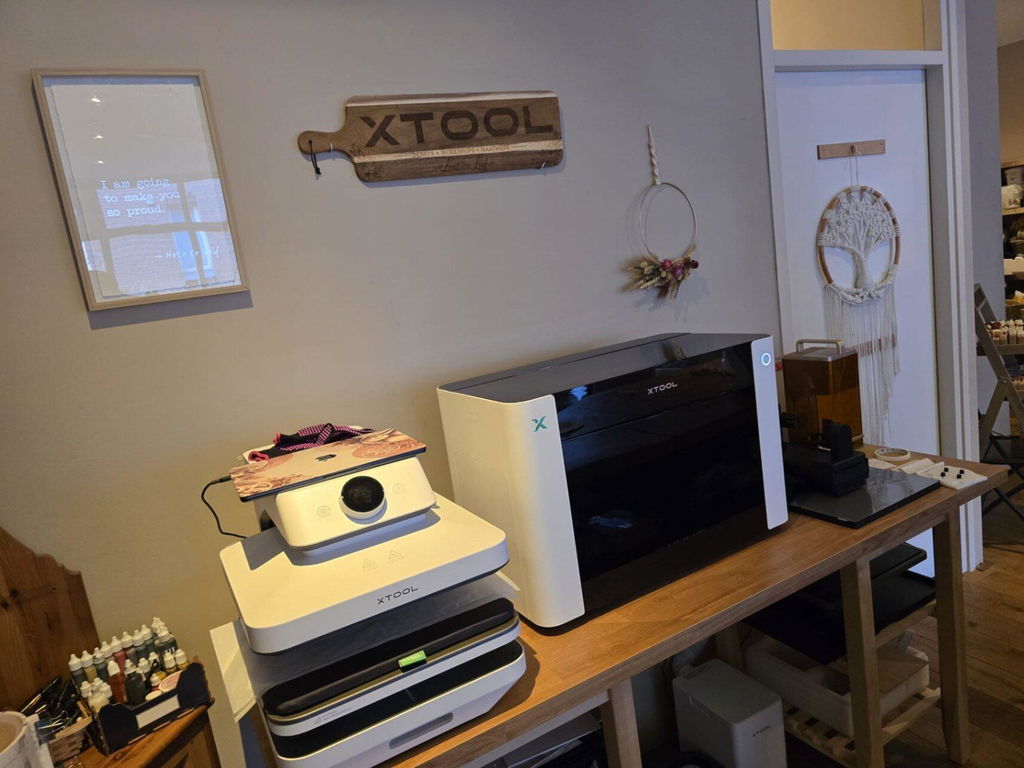
We use both the Omni O1 Dual UV and the DT+UV version in our own store, Lont & Lief, mainly for in-store personalization. It allows us to personalize products for customers directly in the shop and create unique items on the spot.
What I really like is the combination of precision, flexibility and ease of use. Depending on the material and product, we can choose the version that fits the job best. Both machines give us a lot of freedom to create detailed, professional-looking results.
For us, they are a great addition for in-store personalization, prototyping and creating unique products for our customers.